

Exodus Wallet Tutorial
Exodus Wallet Tutorial
Contents:
- How To Sign Up for A New Exodus Wallet
- Backing Up Your Wallet
- Sending Cryptocurrency
- Receiving Cryptocurrency
- Security
- Exchange
- All Apps
1. How To Sign Up for A New Exodus Wallet
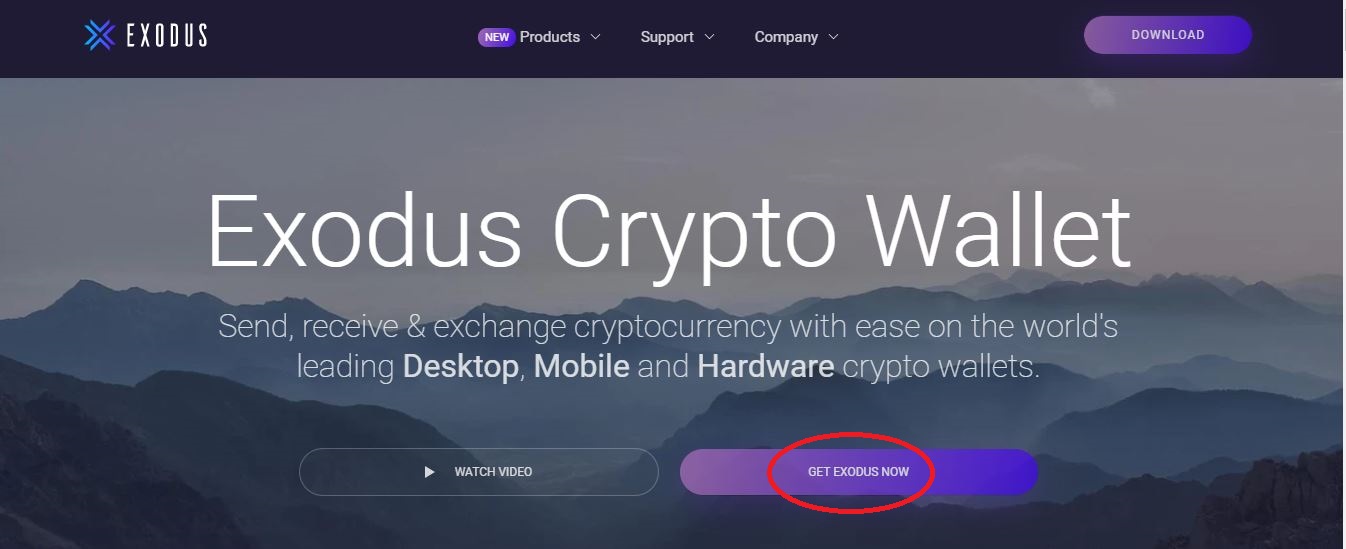
1.1 Open the Exodus wallet website and select ‘Get Exodus Now’:
1.2 Chose between the desktop or the mobile version of the app to install:
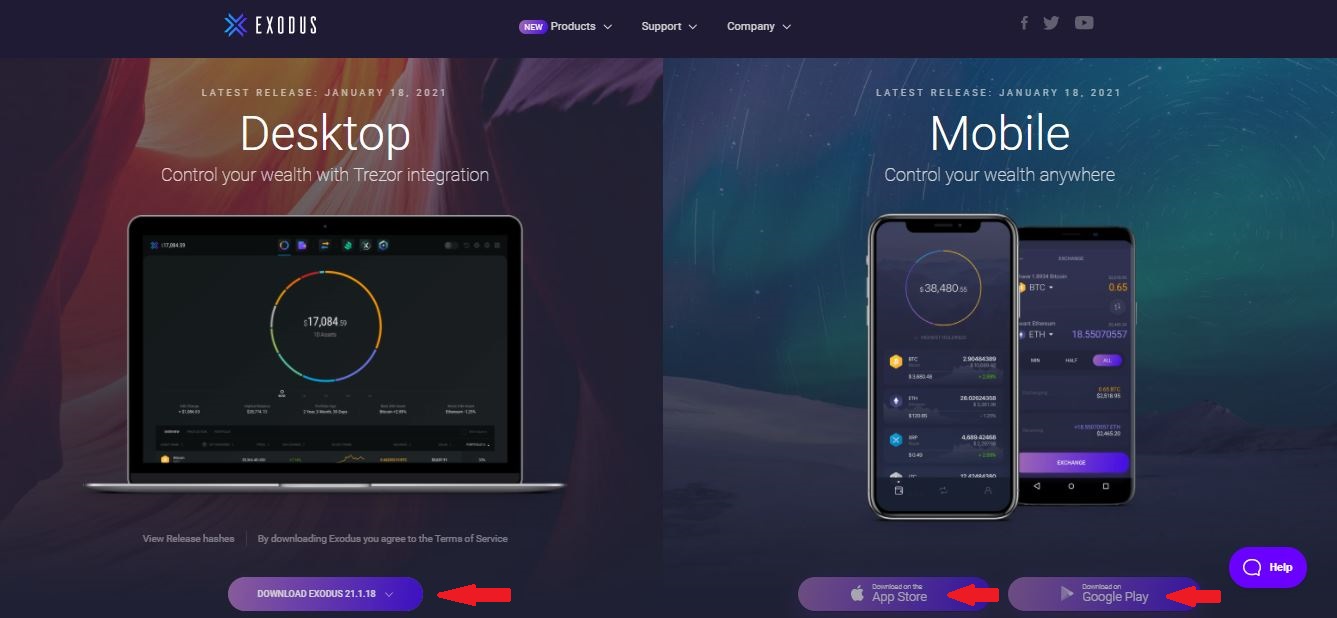
Note: The Exodus Wallet does not require KYC verification. Once the installation process is complete, the app will automatically open up to the home screen.
2. Backing Up Your Wallet
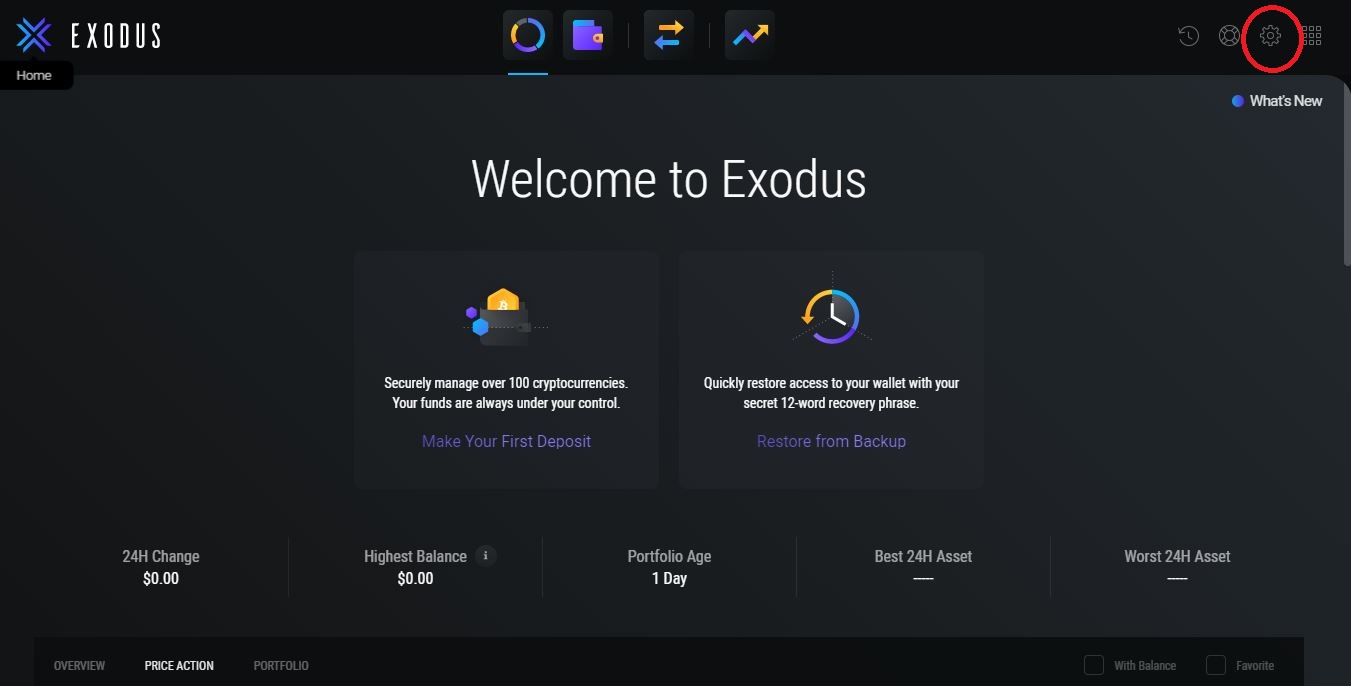
2.1 From the home screen, select the ‘Settings’ icon:
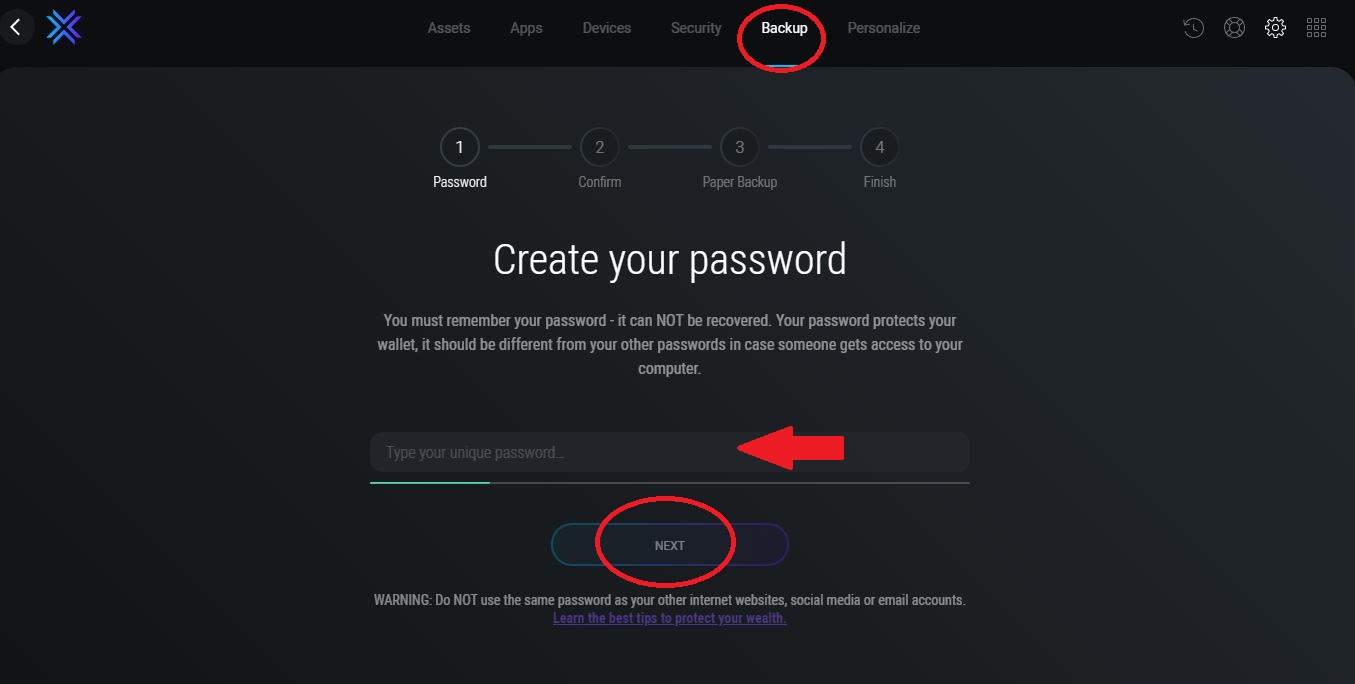
2.2 From the top menu select ‘Backup’ then type in your password and select ‘Next’:
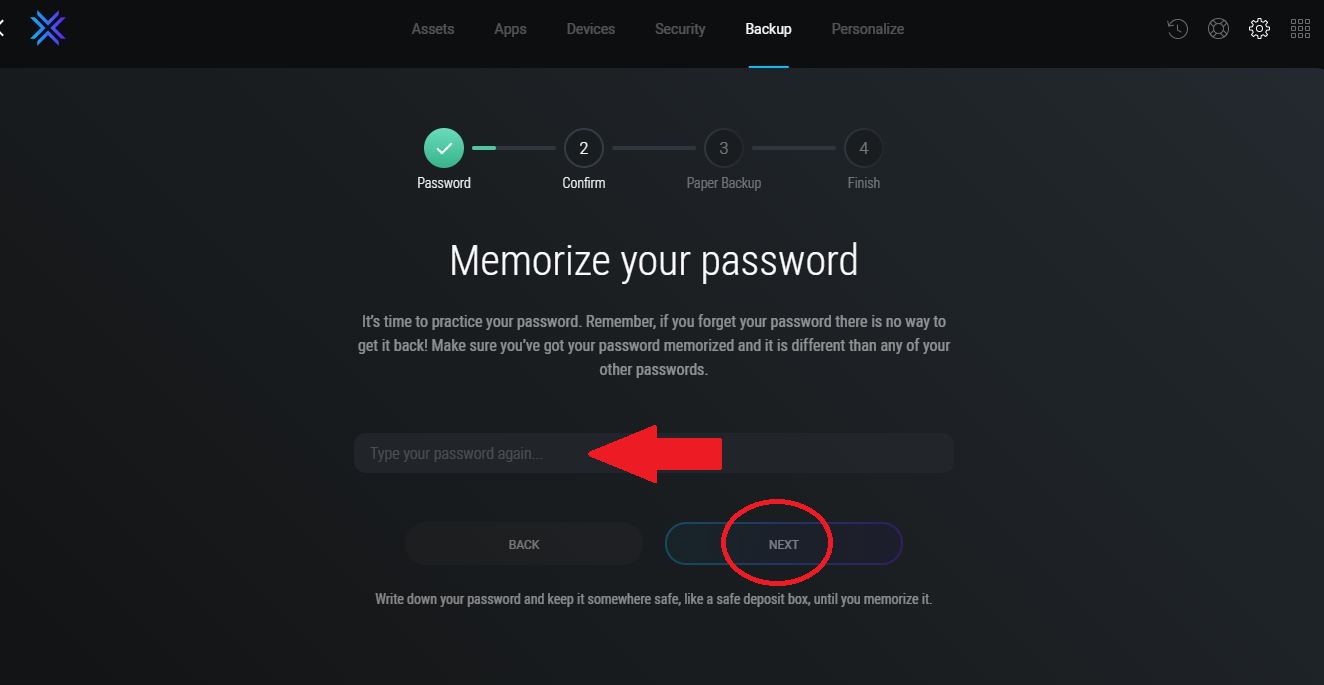
2.3 You’ll be prompted to retype your password and press ‘Next’:
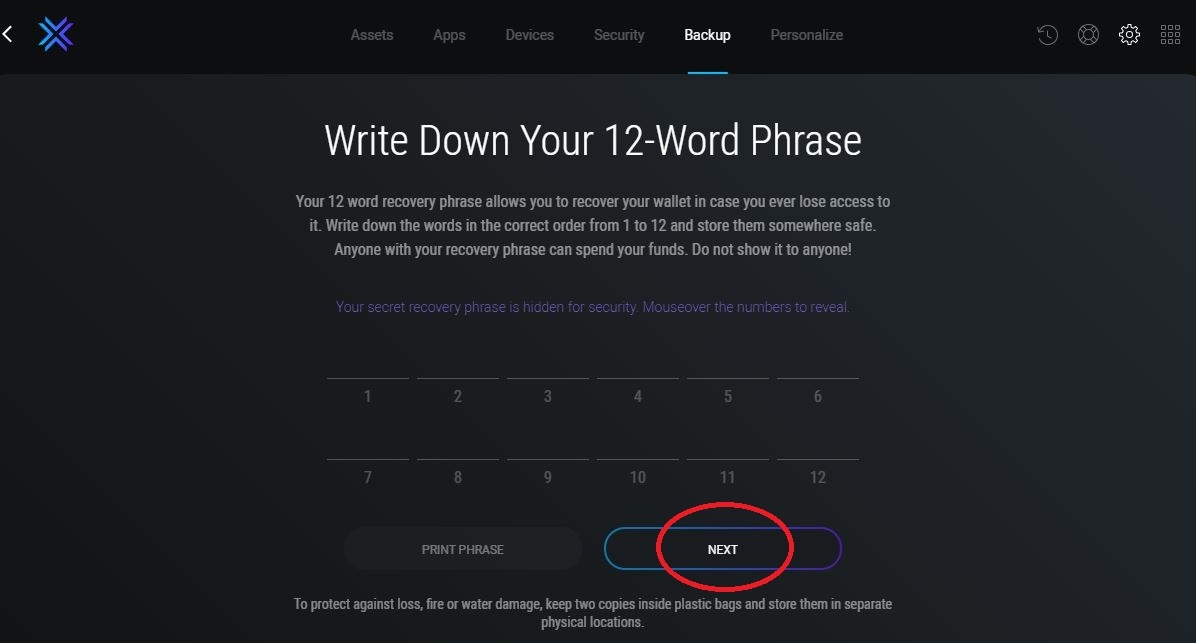
2.4 Your 12-Word Phrase will appear, after writing it down on paper select ‘Next’:
2.5 Pick the correct word from your paper backup and select ‘Finish’:
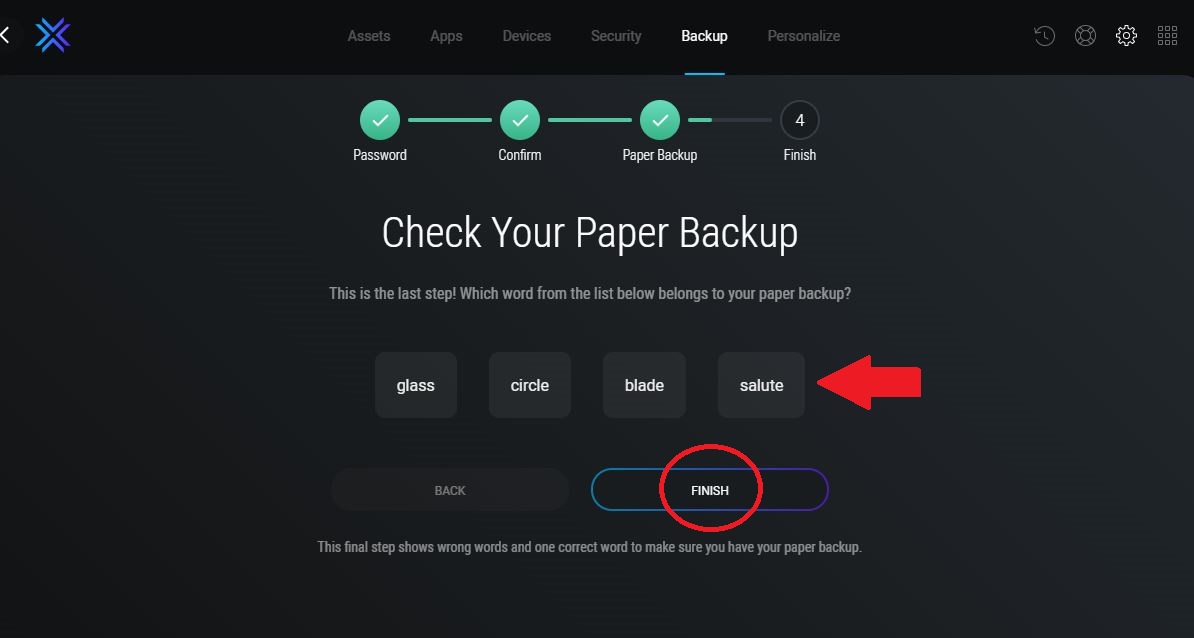
2.6 Once your backup is complete, the following screen will appear:
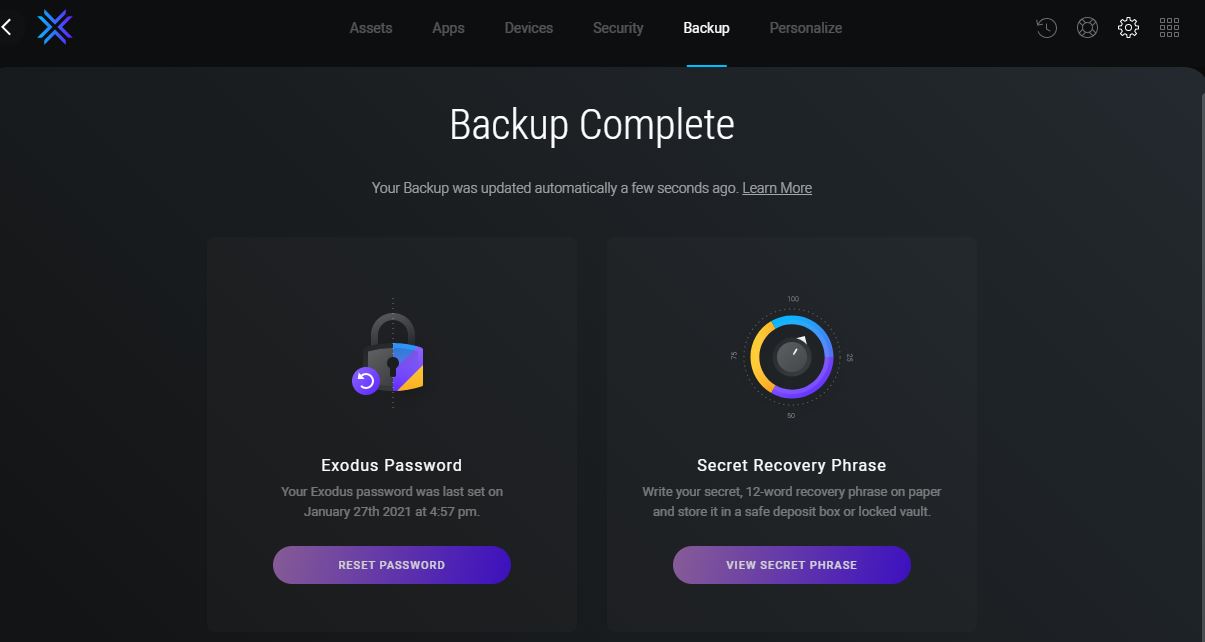
Note: Make sure you memorize your password because if you lose it, you won’t be able to recover it. Furthermore, your 12-Word recovery phrase is the only way of recovering your funds in case you ever lose access to your wallet.
3. Sending Cryptocurrency
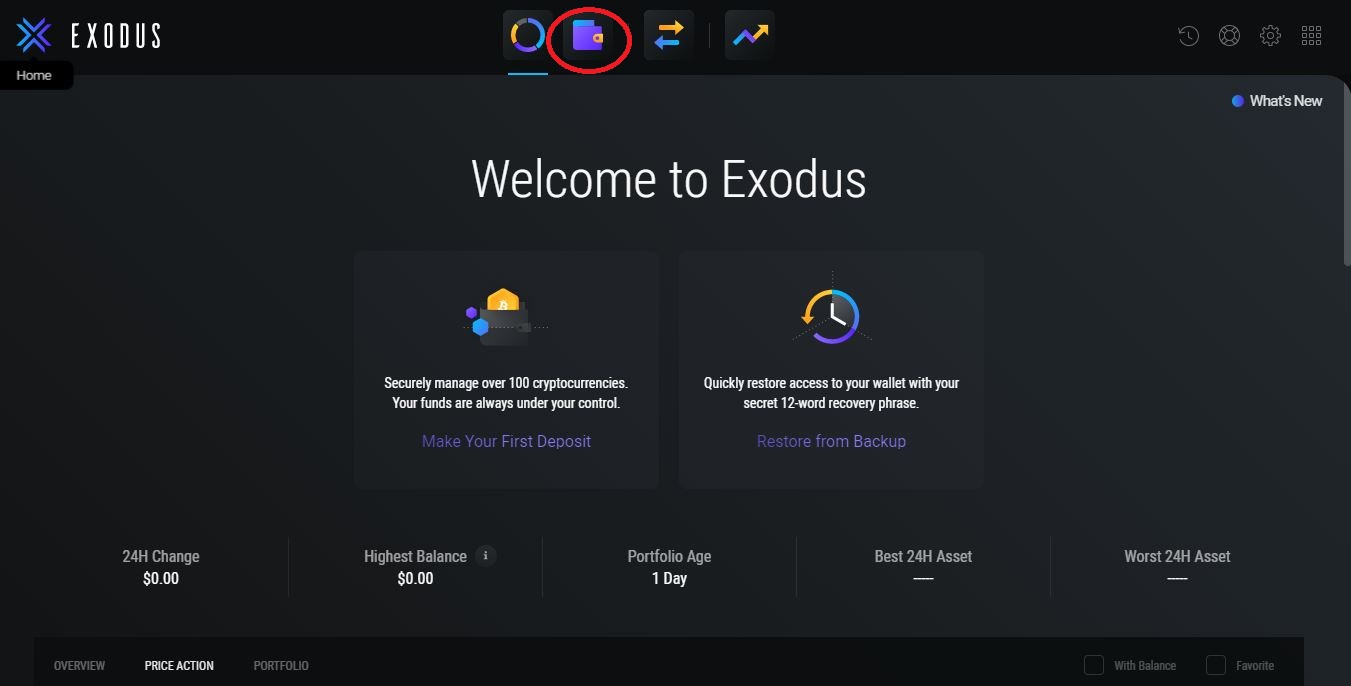
3.1 From the home screen select the ‘Wallet’ icon:
3.2 From the top menu, select the cryptocurrency you want to send and press ‘Next’’:
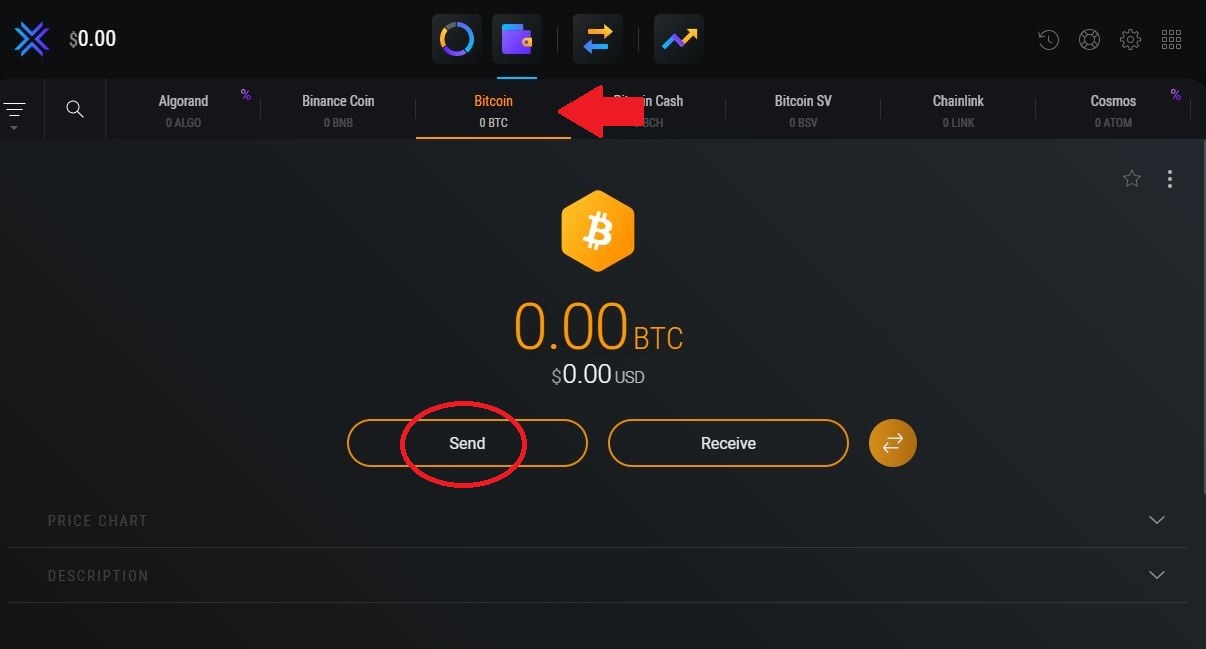
3.3 Fill in the bitcoin address you wish to send to, enter the amount and press ‘Send’:
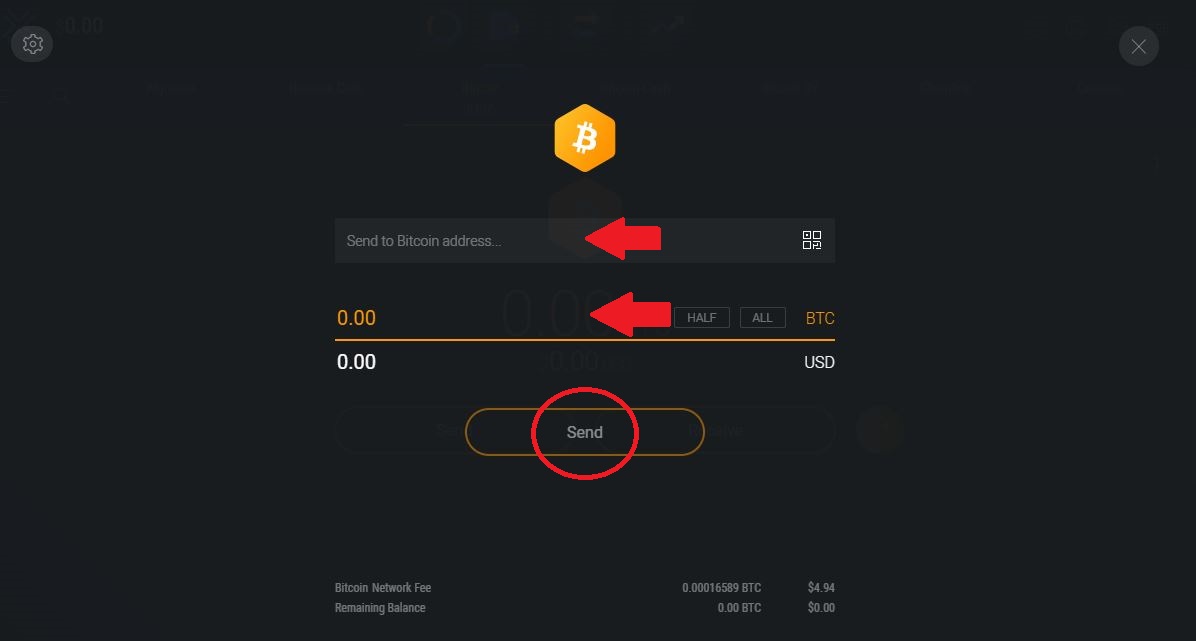
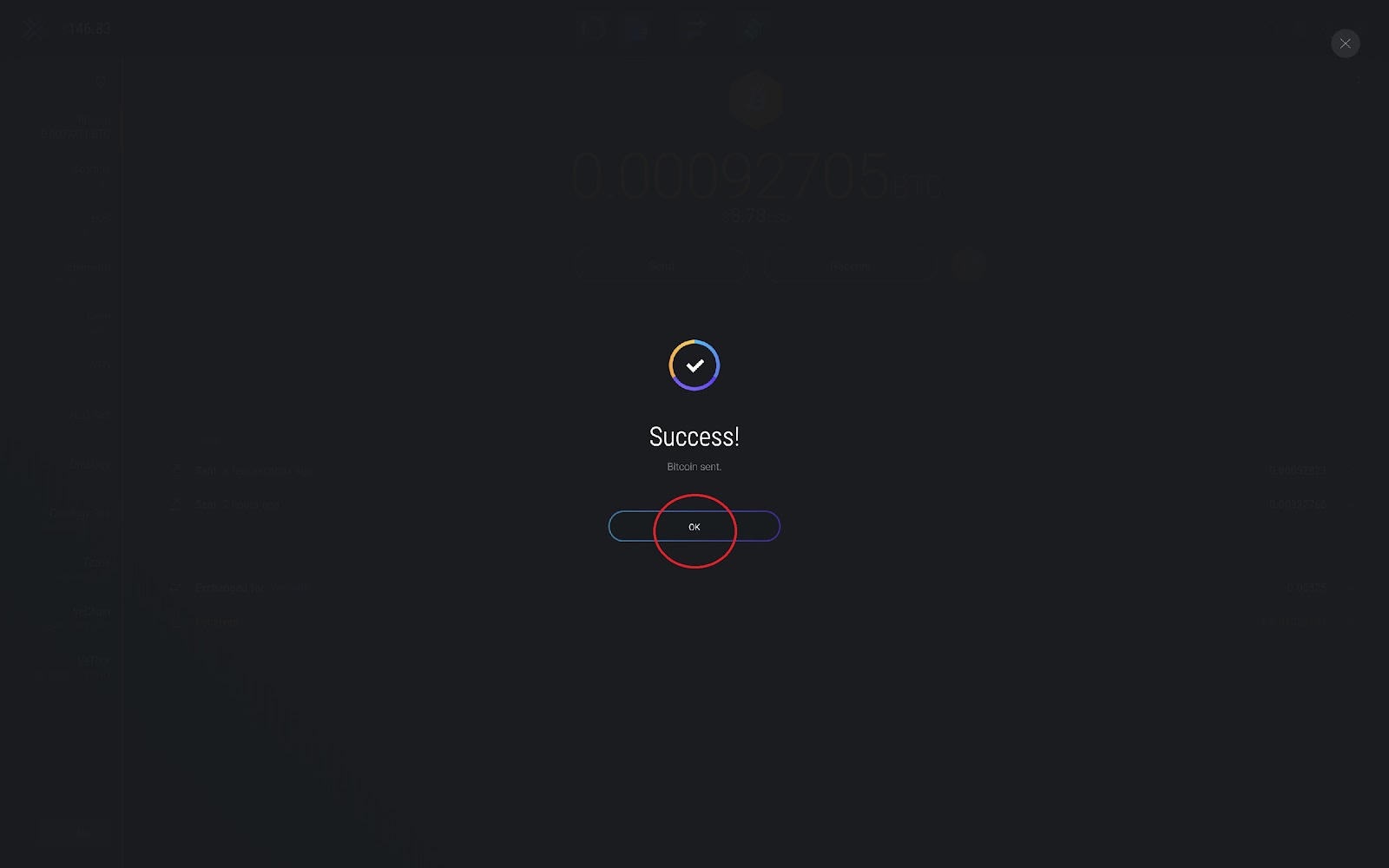
3.4 Confirm if you have entered the correct details and select ‘Send’ followed by ‘Okay’:
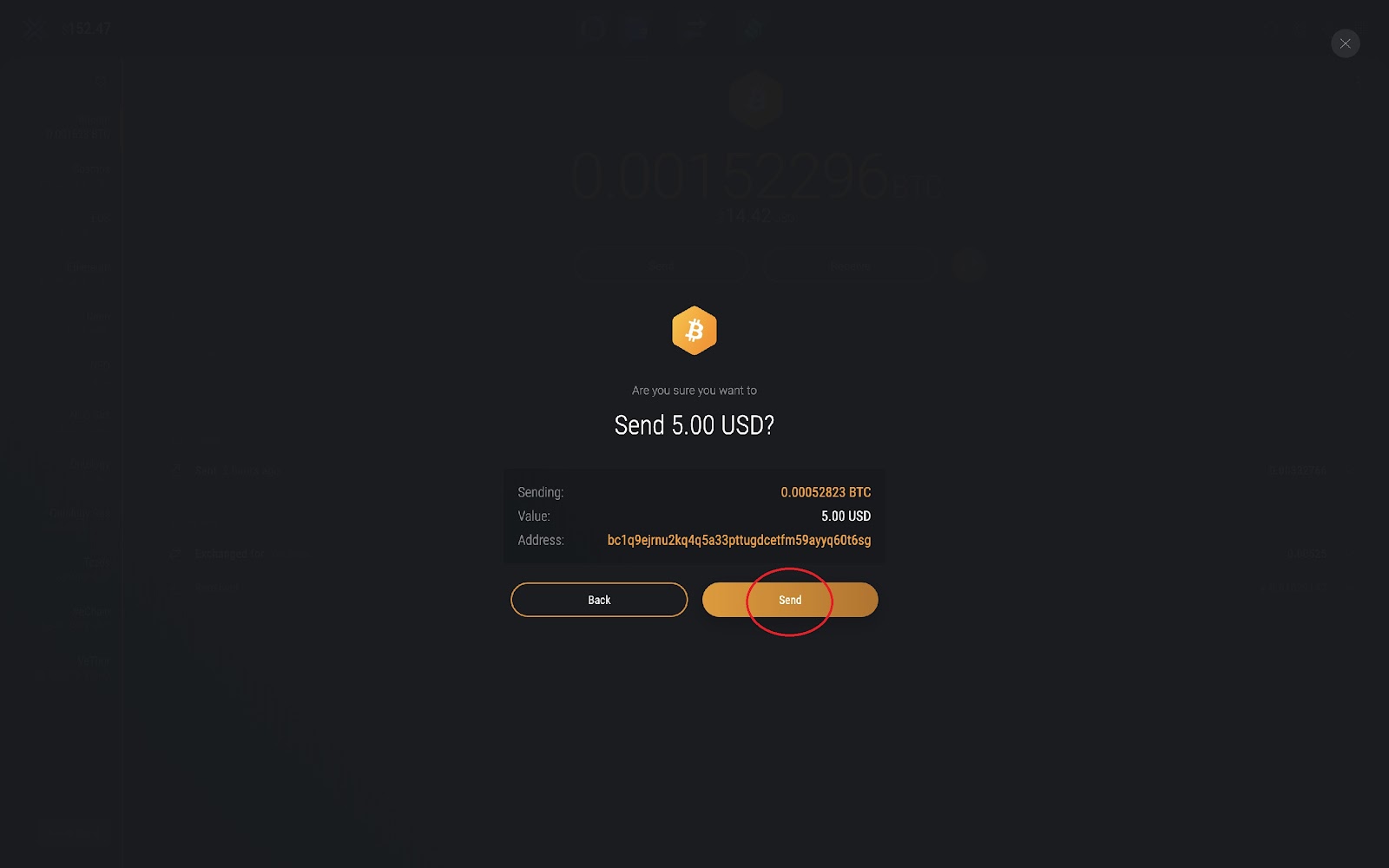 →
→ 
Note: A network fee will be charged. Also, your transaction may take time to confirm depending on network congestion.
4. Receiving Cryptocurrency
4.1 On the home screen select the ‘Wallet’ icon:
4.2 From the top menu, select the cryptocurrency you want to receive and press ‘Receive’’:
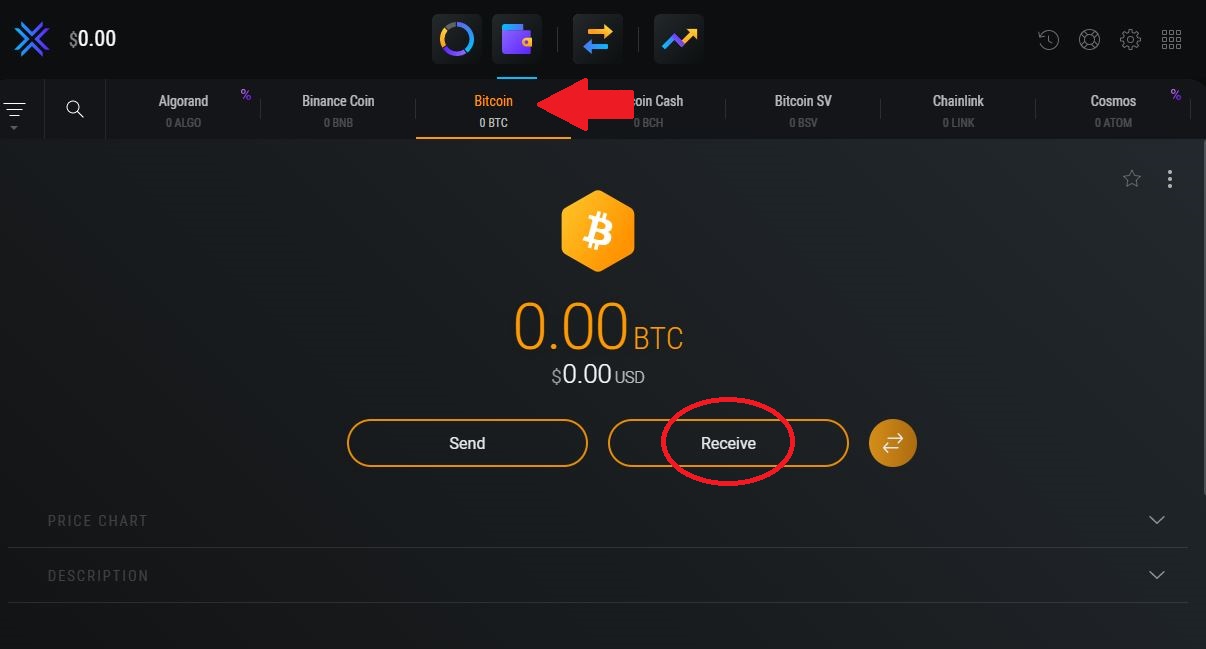
4.3 Your cryptocurrency address will appear as well as your unique QR code:
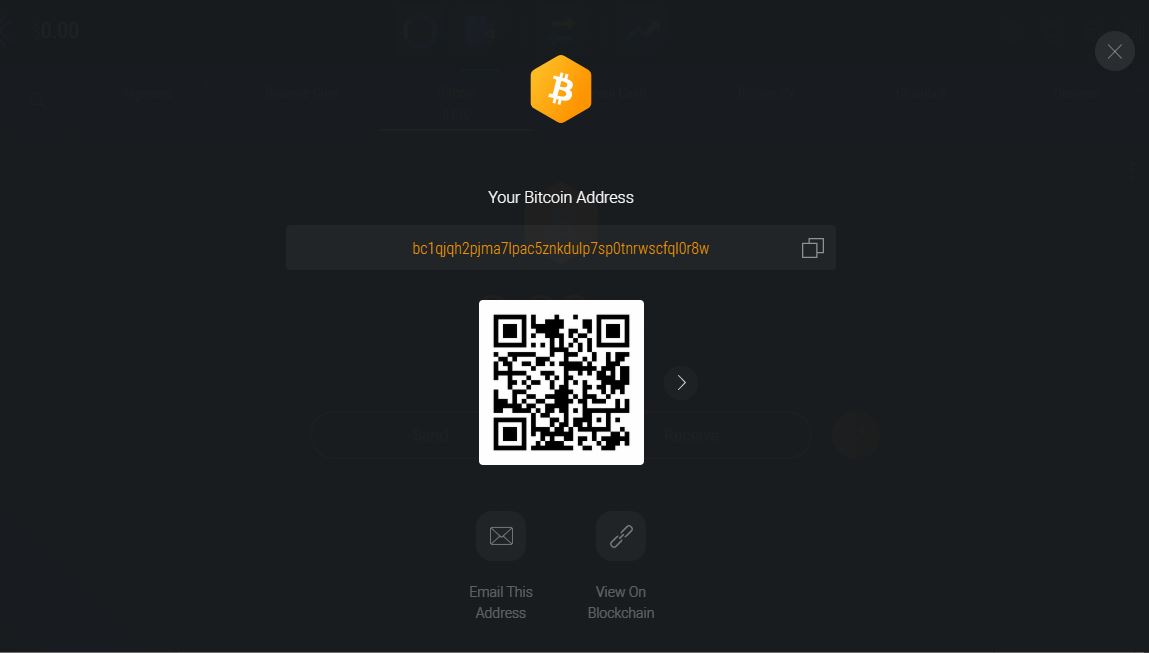
Note: You can choose to receive your cryptocurrency by scanning the QR code or via copying your unique address.
5. Security
5.1 From your home screen, select the ‘Settings’ icon:
5.2 From the top menu select ‘Security’ then choose any time option to enable Auto-Lock:
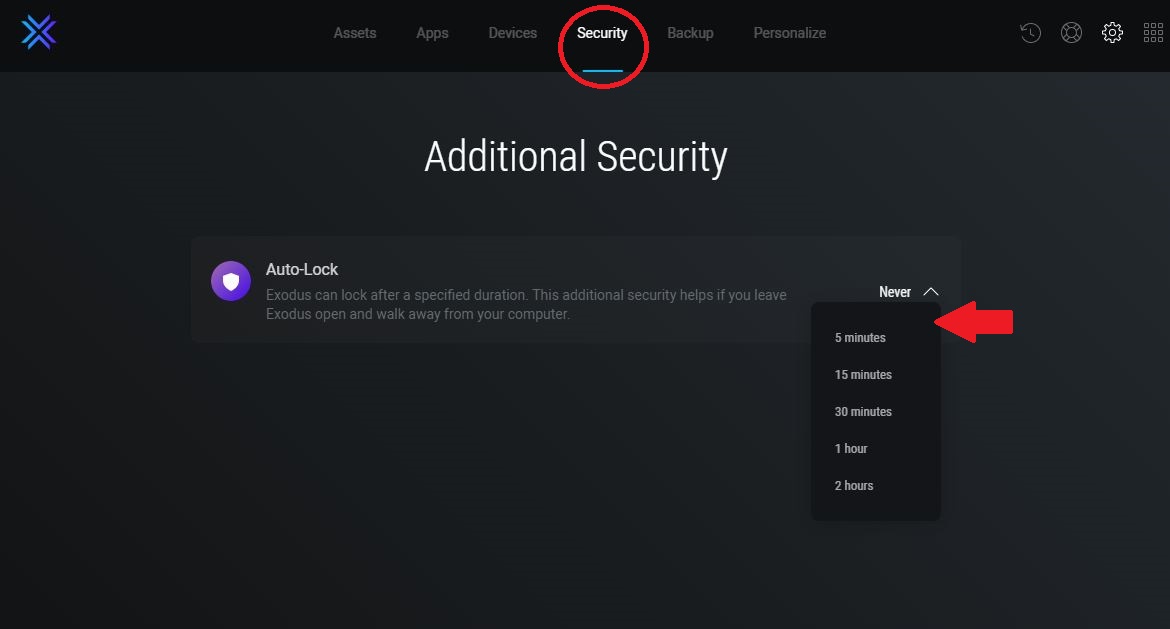
Note: When the lock feature is active, your wallet will automatically lock after the duration you selected. This in-wallet lock protects against unauthorized access of your wallet when the wallet is open and in use.For more information see this article: How do I keep my money safe?
6. Exchange
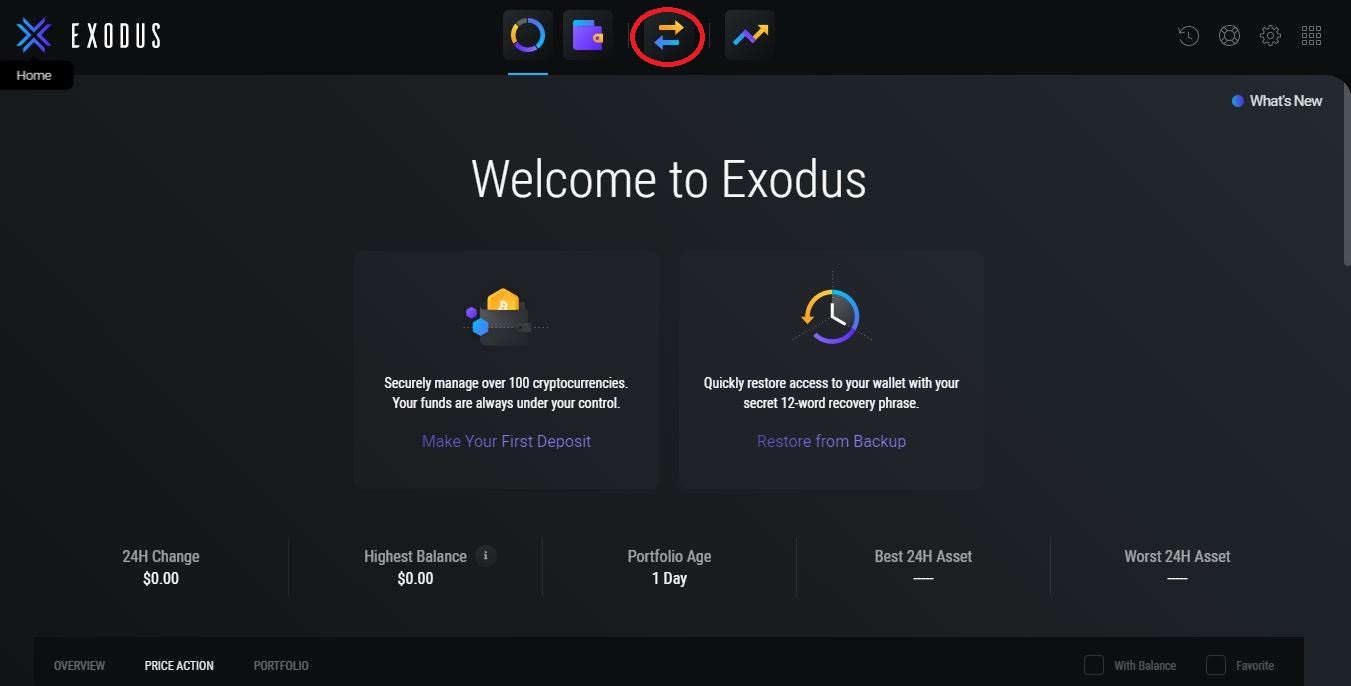
6.1 From your home screen, select the ‘Exchange’ icon:
6.2 Select the currency you want to exchange, then on the right select the currency you would like to receive. Enter the amount of crypto you want to exchange and press the ‘Exchange’ button.
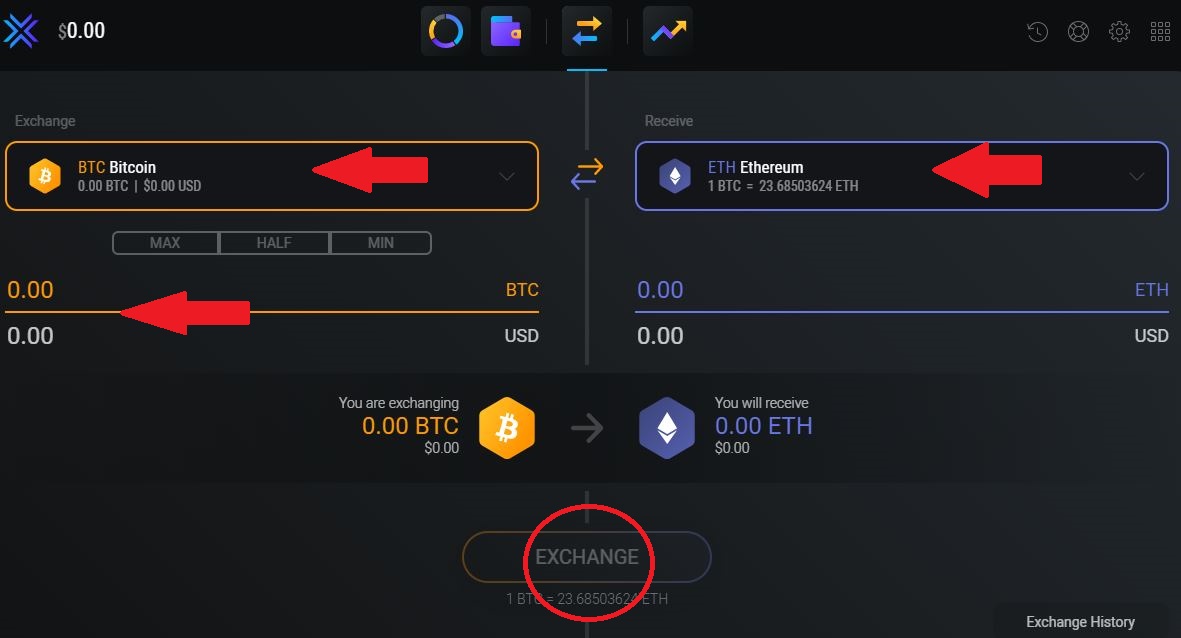
Note: Exodus generates revenue from a small portion of the spread on asset exchanges. Although spreads can vary greatly based on market conditions, typical spreads range between 2% - 5%. The exact amount of crypto you will be exchanging and the exact amount of crypto you will receive will be shown to you on the exchange section of the wallet.
7. All Apps
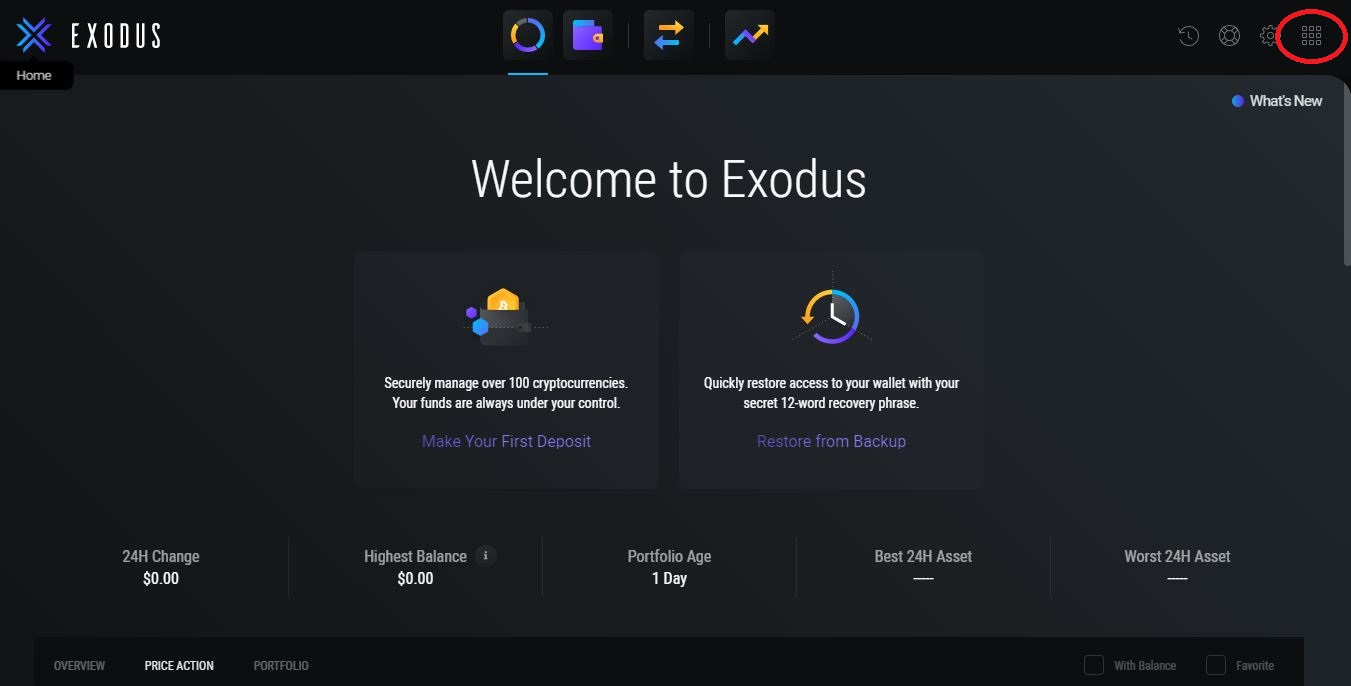
7.1 From your home screen, select the ‘All Apps’ icon:
7.2 Scroll to the bottom of the All Apps page and select, ‘Install Apps’:
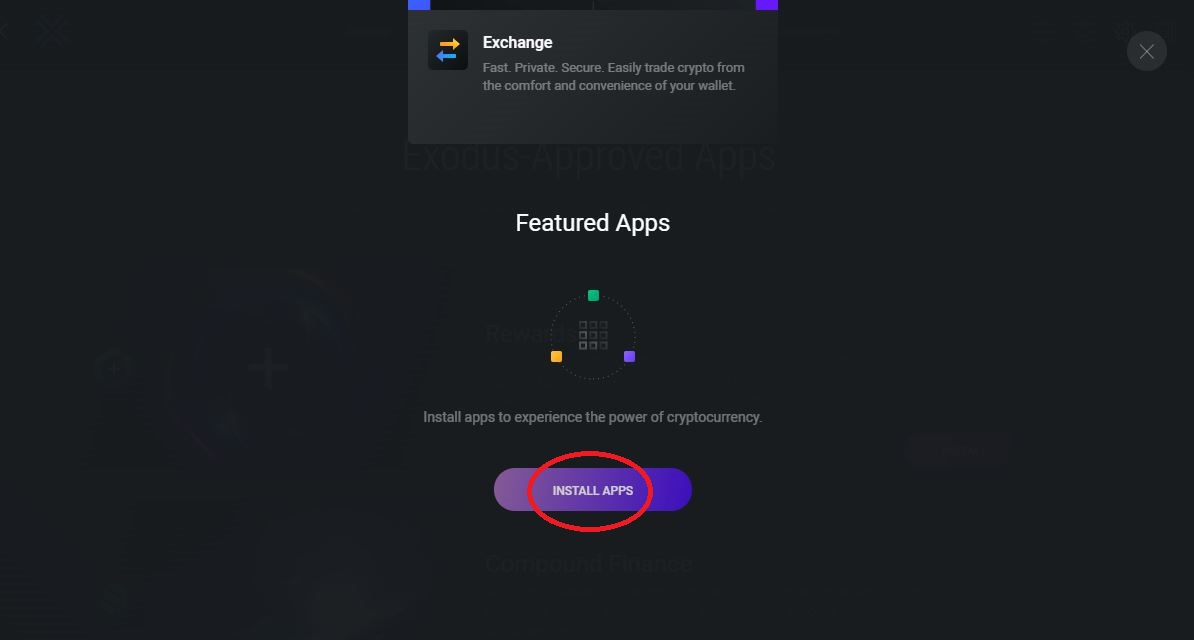
Note: Featured Apps make it easy to earn interest on crypto. No account set up is required.
Share Transmission
Broadcast this signal to your network
More News

Tom Lee’s Ethereum Investment Explained: The BitMine Play
Tom Lee is turning BitMine (BMNR) into a giant Ethereum treasury aiming to own 5% of all ETH. Learn how the strategy works, why it matters, and its risks.

Crypto Calendar July 2026: Key Events, Token Unlocks and Regulatory Dates
A neutral guide to the July 2026 crypto calendar, covering MiCA and GENIUS Act deadlines, Japan’s new law, major token unlocks, Fed dates and industry events.

What Are Bitcoin ETF Outflows? How They Work and Why They Matter
Learn what Bitcoin ETF outflows are, how they affect Bitcoin's price, and what drove the record outflow streak in May-June 2026. A clear, jargon-free explainer.